


Google AI Professional Certificate
In this program, you’ll deep dive into AI through practical activities designed for real workplace tasks. You’ll learn how to use generative AI to sharpen your strategy, streamline repetitive tasks, and create custom tools unique to your work. You’ll also leave with a portfolio of AI projects to show off your new skills. Get started today and receive three months of Google AI Pro on us. Terms apply.*
What to expect
With the Google AI Professional Certificate, you’ll find out what AI can do for you at work using Google’s most capable tools.

AI skills for all
Learn AI skills for any role or industry, zero experience required

Taught by Google experts
Get practical insights and tips from experts who use and build AI every day

Learn by doing
Gain hands-on experience using AI with 20+ activities

Customize your AI training
Take every course or select the ones most relevant to your role
Certificate Details
Google AI Professional Certificate
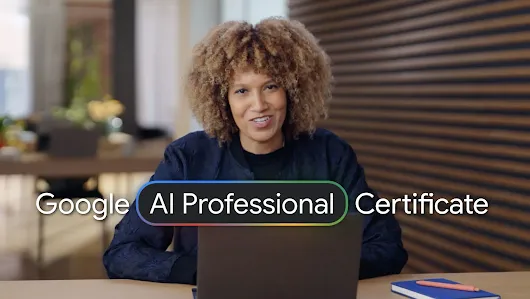
Link to Youtube Video (visible only when JS is disabled)
- Use expert prompting and responsible judgment to apply AI confidently.
- Strengthen your professional skills by using AI to generate plans, tailor content, and analyze data.
- Build your own personal suite of reusable AI assets during 20+ hands-on activities.
- Create functional apps for your workflow through vibe coding.
- Become more productive by chaining tasks into powerful, time-saving AI workflows.

Skills you’ll gain
Gemini App Gemini Canvas Nano Banana Veo3 Gemini Deep Research Gemini Live Gemini Notebook Gemini in Google Workspace (Sheets, Slides, Meet) AI Studio

Certificate breakdown
Establish your foundation of AI expertise. Learn how AI works, when and how to use it, and how to write prompts that deliver high-quality results.
- Learn how generative AI works, and develop a practical understanding of how you can use AI in a professional setting.
- Practice building prompts using a structured framework that can improve the quality of the AI responses you receive.
- Understand how and why AI may produce inaccurate or biased results, to ensure you can use the technology responsibly and ethically.
- Examine your day-to-day responsibilities to find practical ways to integrate AI into your workflows.
Learn to use AI as a thought partner to map out project phases, establish realistic timelines, and organize your initial ideas into a cohesive strategy.
- Collaborate with AI to inspire new ideas and build on existing thoughts, helping you move past a blank page and into a creative flow.
- Analyze and rank your ideas by applying AI to test them against specific goals, ensuring your focus stays on the highest-impact work.
- Examine your roadmap for hidden risks, using AI to help spot dependencies and prepare for challenges before they impact your plans.
- Organize assets into a unified resource using Gemini Notebook, building a project hub that helps your team stay aligned and informed.
Practice using AI as a research partner, its research capabilities to summarize complex topics and pressure-test ideas for better decision-making.
- Try compiling customized reports using Gemini Deep Research, creating comprehensive summaries that help you uncover actionable insights in less time.
- Build a centralized research hub in Gemini Notebook, using AI to summarize your documents and highlight key themes across your regular workload.
- Collaborate with Gemini as a thought partner, gaining fresh perspectives and new angles to strengthen your day-to-day responsibilities.
- Examine AI findings by verifying data against original documents, ensuring all responses are grounded and support responsible AI use.
Learn to refine rough drafts into polished communication, using AI to tailor your style for different audiences and test different perspectives.
- Summarize meeting notes with Gemini in Google Meet, turning long discussions into clear action items to help keep your regular work on track.
- Refine your work by asking Gemini to provide critical feedback and prepare for peer and leadership reviews.
- Create tailored documents with Gemini Canvas, tailoring your communication to fit specific personas and styles for your role.
- Explore different communication strategies by simulating workplace scenarios and role-playing conversations with Gemini Live.
Collaborate with AI as a creative partner, using Gemini to help produce high-quality images, videos, and professional presentations..
- Experiment with turning early concepts into visual assets, using image and video models to help bring your creative vision to life.
- Create engaging visual presentations from basic slide decks, using Gemini to help make your communication more compelling.
- Standardize your creative process by setting custom guidelines, ensuring AI-generated content stays aligned with your brand.
- Pressure-test your creative assets by using AI for feedback, identifying specific improvements to help you meet your professional design goals.
Transform messy data into clear insights, using Gemini in Sheets to help clean and analyze information throughout your workflows.
- Review your business goals with AI to identify the appropriate success metrics, helping you measure performance more effectively in your role.
- Practice reformatting messy information with targeted prompts, turning unstructured data into an organized table in Google Sheets.
- Collaborate with Gemini to build spreadsheet formulas, using natural language to help streamline complex calculations in your projects.
- Create clear data visualizations with AI, helping you share evidence-based trends and insights with your team.
Vibe-code custom apps with everyday language, instructing AI to build practical tools that help you expedite repetitive parts of your workload.
- Review your workflows to find opportunities where a custom AI solution can solve unique challenges in your role.
- Practice using vibe coding to translate plain instructions into web apps, helping you create functional tools for your work.
- Collaborate with AI to diagnose and fix technical issues, ensuring you can build stable prototypes to support your projects.
- Develop scalable custom solutions using AI Studio, gaining the confidence to build more sophisticated tools throughout your work.
Dive deeper into vibe coding and learn how to build custom, time-saving tools from scratch—and confidently share them with anyone.
- Brainstorm ideas, organize them into a plan, and uncover hidden flaws with AI to ensure your app has a solid foundation.
- Use AI to easily troubleshoot and fine-tune your app. Identify weak spots and fix them fast, so your tool works exactly how you want it to.
- Make your app user-friendly, add clear user instructions, and easily manage access so approved users can use your custom solution safely.
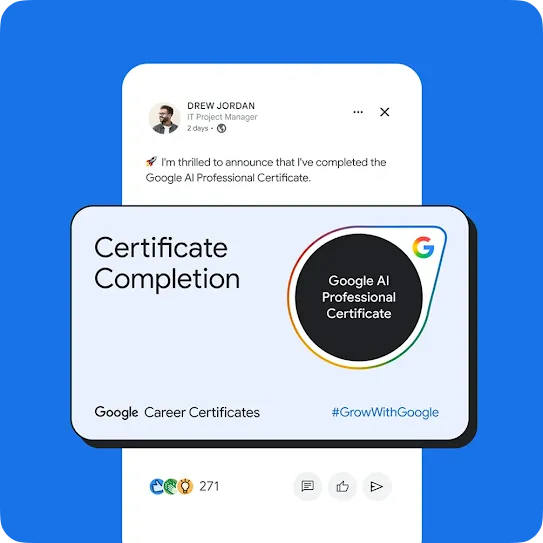

Build your AI fluency with 3 months of Google AI Pro on us
This program pairs expert led training with three months of Google AI Pro, giving you immediate access to Google’s most capable AI tools. You’ll unlock advanced features in Gemini, Flow, and Gemini Notebook, plus AI-powered assistance in Gmail and Docs and 2 TB of cloud storage, so you can start using your AI skills right away. Terms apply.*
70%
of employers would prioritize hiring a candidate with AI skills over one with more years of experience.1
4.5x
AI-fluent workers are 4.5x more likely to report higher wages as a result of using AI tools.2
8 hrs
AI-fluent professionals save an average of 8 hours every week.2

“This is definitely one of the best AI training courses I've done. It covered the 'basics' in an easy to understand way, but didn't dwell on the basics for too long. I love that the majority of the course focused on actual business use cases.”
BRIAN | Google AI Professional Certificate graduate

Frequently asked questions
If you want to learn how to use AI, the Google AI Professional Certificate is for you - no previous experience is required. This certificate was built by Google experts to provide hands-on practice with AI tools, so that you can build the skills and confidence to start using AI at your job, from day one. You’ll finish with a certificate that leading employers trust, and experience with AI tools that you can use immediately in your daily work.
Gaining AI skills can help you stay competitive. 70% of managers believe an AI-trained workforce is critical for their organization’s success, so being able to use AI at work is key. The Google AI Professional Certificate helps you practice using AI through over 20 hands-on activities. Learn directly from Google experts and gain the skills you need to stay ahead.
In the Google AI Professional Certificate, you’ll gain hands-on experience building the AI skills that employers are looking for. Designed by experts at Google, you’ll practice using AI in real workplace tasks. You’ll learn how to use AI to sharpen your strategy, boost your creativity, and streamline the repetitive parts of your day, and you’ll build a portfolio of 20+ AI projects to show off your new skills. And, to help you do your best work, you’ll gain access to Google AI Pro at no cost, giving you experience with Google’s most helpful tools.
Move beyond the basics. Built by Google experts, you’ll get hands-on practice using AI so you can start using it at work, from day one.
The Google AI Professional Certificate includes eight courses:
- AI Fundamentals. Learn essential AI concepts and practice prompting effectively.
- AI for Brainstorming and Planning. Use AI to brainstorm concepts, build detailed timelines, and create a clear plan.
- AI for Research and Insights. Use AI as your research partner, leveraging Deep Research and Gemini Notebook to quickly generate summaries, gain insights, and pressure test ideas for informed decision-making.
- AI for Writing and Communicating. Turn rough notes into clear messages, easily adapt them for different stakeholders, practice for presentations by anticipating questions and concerns.
- AI for Content Creation. Use AI as your creative partner to generate high-quality images, video, and presentations.
- AI for Data Analysis. Transform unstructured data into clear insights, and master skills to clean, analyze, and create compelling visualizations and formulas with Gemini in Google Sheets.
- AI for App Building. Master vibe coding and build your own custom app. Tackle your most tedious tasks, all without writing a single line of code.
- AI for App Deployment. Apply and experiment with vibe coding to plan, test, and debug apps in Google AI Studio to get more done, faster.
We partnered with the Burning Glass Institute to identify the specific areas where AI is transforming work, based on job posting data. Then, we collaborated with the Skills-First Workforce Initiative, a group of 12 of America’s largest employers, to get their perspective on the AI skills employees should have.
We built these directly into our Google AI Professional Certificate to make sure this program teaches you the AI skills that are in demand.
You’ll practice using Gemini (including Canvas and Deep Research), Gemini Notebook, and Gemini in Google Workspace (Docs, Slides, Sheets) to level up your daily tasks. You will also build a custom AI tool using Google AI Studio. You’ll get three months of no-cost access to Google AI Pro, so you can gain hands-on experience with Google’s most advanced models.
By enrolling in the Google AI Professional Certificate, you get three months of no-cost access to Google AI Pro. You can use this trial to complete the hands-on activities that require Google AI Pro.
This certificate offers a practical learning experience that moves past theory to help you build the AI skills you need to stay competitive. You’ll learn directly from Google experts who built the products millions of people use every day. Plus, you’ll gain three months of no-cost access to Google AI Pro, allowing you to use Google’s most capable models. We collaborated with some of America’s biggest employers to make sure this program teaches you the AI skills that are in demand. Learn on your own schedule and focus on using AI for the specific areas that matter most to you.
In the U.S. and Canada, the subscription cost is $49 per month. The certificate is available for learners on Coursera, Google Skills, and Udemy. Prices may vary in other countries. When you purchase the Google AI Professional Certificate, you’ll have access to all course materials, including videos, activities, readings, and graded assessments. After you complete all seven courses, you’ll earn a certificate from Google to share with your professional network and potential employers.
The Google AI Professional Certificate is made up of eight courses that can be completed in about an hour each. You can complete the entire program at your own pace.
No, you don’t need any experience using AI to get started. The first course will help you build a strong foundation of AI skills.
After you complete all eight courses, you’ll earn a certificate from Google to share with your network and potential employers.
The Google AI Professional Certificate prepares you to use AI at work, a skill set that 70% of managers believe is critical for their organization’s success. You’ll learn how AI tools can improve how you work—allowing you to handle tasks more efficiently and produce higher-quality results. Most importantly, you’ll walk away with a portfolio of 20+ projects you built yourself that apply directly to your daily work, giving you tangible proof of your ability to use AI at work.
The Google AI Professional Certificate is completely online, so there’s no need to show up to a classroom in person. You can access the videos, readings, activities, and assessments anytime and anywhere, via the web or your mobile device.
The Google AI Professional Certificate is available in English and has been translated into Arabic, Dutch, Finnish, French, German, Indonesian, Italian, Japanese, Polish, Portuguese (BR), Spanish, Swedish, Thai, Turkish, Ukrainian, and Vietnamese, with more languages coming soon.
Google AI Essentials helps beginners get started with the basics, including writing prompts. The Google AI Professional Certificate is designed to teach the skills you need to use AI effectively at work. Validated by a coalition of America’s biggest employers, this program helps you master using AI across 20+ work scenarios—like creating marketing assets, vibe coding custom apps, and conducting data analysis.
This program does not carry university credit.
Yes! To get started, click the course card that interests you and enroll. You can enroll and complete the course to earn a certificate from Google. When you subscribe to a course that is part of a certificate program, you’re automatically subscribed to the full Certificate. Visit your learner dashboard to track your progress.
¹2024 Work Trend Index Annual Report
2Google AI Works in America, Ipsos 2026
*Offer expires and must be redeemed by January 1, 2027. See full terms and conditions at Google One membership Offer terms.
Subscribe to Grow with Google updates
By clicking subscribe, you consent to receive email communication from Grow with Google and its programs. Your information will be used in accordance with Google Privacy Policy and you may opt out at any time by clicking unsubscribe at the bottom of each communication.