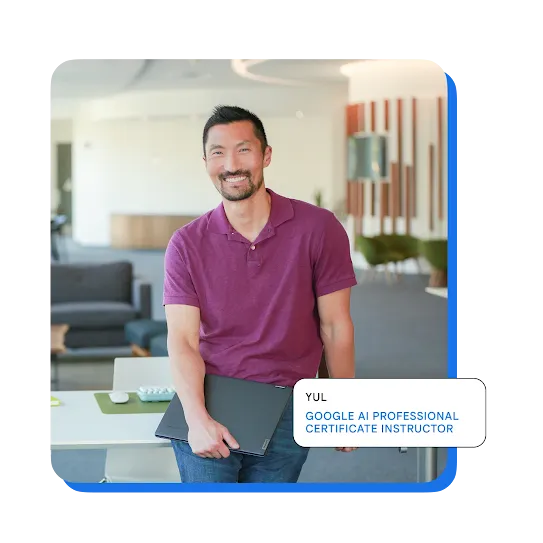

COURSE 2 | AI PROFESSIONAL CERTIFICATE
AI for Brainstorming & Planning
Going from a big idea to a final product takes an incredible amount of planning and organization. That’s where AI-driven project planning comes in. Learn how to centralize projects in Gemini Notebook and use AI as a thought partner to brainstorm concepts, evaluate risks, and build execution-ready plans.
What you'll learn
- How to brainstorm fresh concepts with AI as your creative sounding board
- Techniques to evaluate your ideas against specific decision frameworks
- How to strengthen your plans by prompting AI to spot hidden dependencies
- Tips for building a central knowledge hub for your team using Gemini Notebook
Gemini App Gemini Notebook
AI Workflows Generative AI
Product Automation
Prompt Engineering
AI Workflows Generative AI
Product Automation
Prompt Engineering
What to expect

No experience required
All skill levels welcome

1 hour to complete
Learn at your own pace

3 modules
Gain insights on specific topics

4.8
291 reviews
Course Details
AI for Brainstorming & Planning
Link to Youtube Video (visible only when JS is disabled)
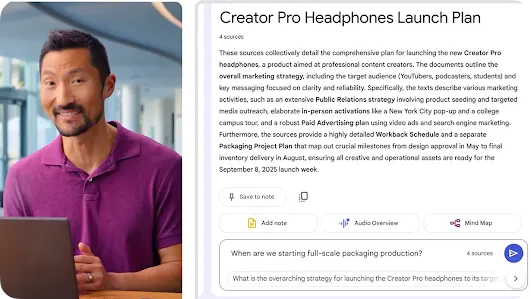
Discover fresh ideas by using AI as a creative partner, helping you evaluate concepts to make faster decisions in your role. Formulate a strategic plan based on these insights, setting up scheduled actions to help you stay up to date throughout your work.
Identify potential gaps in your plans using AI, running risk assessments to help you spot challenges before they cause issues. Create a structured timeline based on your findings, using Gemini to help keep your tasks on track.
Create a knowledge hub using Gemini Notebook, organizing your project assets so you and your team can stay informed and streamline communication.
You may also be interested in these resources
Pressure-test your project plans with Gemini
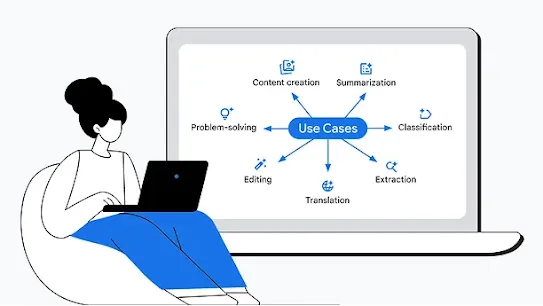
Prompting tips and techniques for better outputs
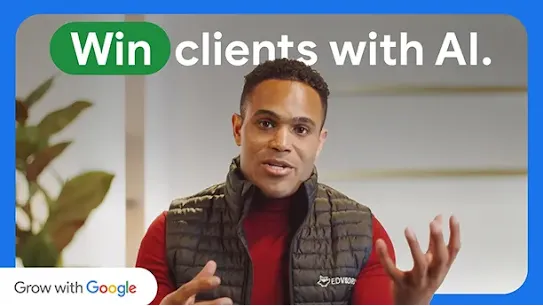
Do research faster with Gemini Deep Research
Guide to Lifelong Learning
View all the courses in the series
Complete all 7 courses in the Google AI Professional Certificate to develop the skills to use AI effectively. Invest in your career success with a curriculum that’s built by Google experts, backed by job data and used by leading employers.
-
GOOGLE AI PROFESSIONAL CERTIFICATE
AI Fundamentals
-
GOOGLE AI PROFESSIONAL CERTIFICATE
AI for Research and Insights
-
GOOGLE AI PROFESSIONAL CERTIFICATE
AI for Writing and Communicating
-
GOOGLE AI PROFESSIONAL CERTIFICATE
AI for Content Creation
-
GOOGLE AI PROFESSIONAL CERTIFICATE
AI for Data Analysis
-
GOOGLE AI PROFESSIONAL CERTIFICATE
AI for App Building


Frequently asked questions
In the Google AI Professional Certificate, you’ll gain hands-on experience building the AI skills that employers are looking for. Designed by experts at Google, you’ll practice using AI in real workplace tasks. You’ll learn how to use AI to sharpen your strategy, boost your creativity, and streamline the repetitive parts of your day, and you’ll build a portfolio of 20+ AI projects to show off your new skills. And, to help you do your best work, you’ll gain access to Google AI Pro at no cost, giving you experience with Google’s most helpful tools.
Move beyond the basics. Built by Google experts, you’ll get hands-on practice using AI so you can start using it at work, from day one.
The AI for Brainstorming & Planning course includes three modules:
- Brainstorm ideas in Gemini
- Create a project timeline in Gemini
- Build a knowledge hub in Gemini Notebook
You’ll practice using Gemini (including Canvas and Deep Research), Gemini Notebook, and Gemini in Google Workspace (Docs, Slides, Sheets) to level up your daily tasks. You’ll get three months of no-cost access to Google AI Pro, so you can gain hands-on experience with Google’s most advanced models.
By enrolling in the Google AI Professional Certificate, you get three months of no-cost access to Google AI Pro. You can use this trial to complete the hands-on activities that require Google AI Pro.
In the U.S. and Canada, the subscription cost is $49 per month. The certificate is available for learners on Coursera, Google Skills, and Udemy. Prices may vary in other countries. When you purchase the Google AI Professional Certificate, you’ll have access to all course materials, including videos, activities, readings, and graded assessments. After you complete all seven courses, you’ll earn a certificate from Google to share with your professional network and potential employers.
The Google AI Professional Certificate prepares you to use AI at work, a skill set that 70% of managers believe is critical for their organization’s success. You’ll learn how AI tools can improve how you work—allowing you to handle tasks more efficiently and produce higher-quality results. Most importantly, you’ll walk away with a portfolio of 20+ projects you built yourself that apply directly to your daily work, giving you tangible proof of your ability to use AI at work.
This certificate offers a practical learning experience that moves past theory to help you build the AI skills you need to stay competitive. You’ll learn directly from Google experts who built the products millions of people use every day. Plus, you’ll gain three months of no-cost access to Google AI Pro, allowing you to use Google’s most capable models. We collaborated with some of America’s biggest employers to make sure this program teaches you the AI skills that are in demand. Learn on your own schedule and focus on using AI for the specific areas that matter most to you.
We partnered with the Burning Glass Institute to identify the specific areas where AI is transforming work, based on job posting data. Then, we collaborated with the Skills-First Workforce Initiative, a group of 12 of America’s largest employers, to get their perspective on the AI skills employees should have.
We built these directly into our Google AI Professional Certificate to make sure this program teaches you the AI skills that are in demand.
Gaining AI skills can help you stay competitive. 70% of managers believe an AI-trained workforce is critical for their organization’s success, so being able to use AI at work is key. The Google AI Professional Certificate helps you practice using AI through over 20 hands-on activities. Learn directly from Google experts and gain the skills you need to stay ahead.
Subscribe to Grow with Google updates
By clicking subscribe, you consent to receive email communication from Grow with Google and its programs. Your information will be used in accordance with Google Privacy Policy and you may opt out at any time by clicking unsubscribe at the bottom of each communication.