AI PROFESSIONAL

Understanding Gems: Gemini’s custom AI assistants

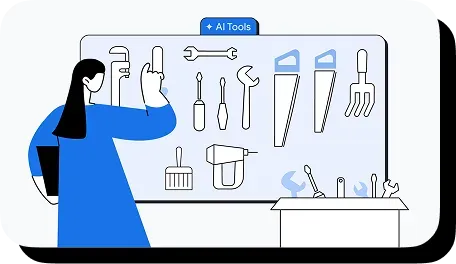
Crafting a detailed prompt can generate high-quality results for a specific task. However, those detailed and effective prompts typically don’t persist across multiple conversations. Gemini Gems allow you to save customized, finely-tuned experts that are always ready to help. This feature effectively allows for the creation of specialized AI assistants, each with a unique set of instructions to help support different tasks.

March 20, 2026
4-minute read

Grow with Google

Editorial Team

understanding-gems-second-image

Sign up to get the latest news and insights from Grow with Google

Sign up

How Gems work

While standard prompting can create effective personas – such as a copy editor for professional emails – reusing these personas often requires searching through chat history and re-explaining context. Gems offer a solution by allowing these expert personas to be built, saved, and accessed immediately for future use.

What are Gems within Gemini?

Gems function as custom AI assistants created within Gemini to help with a wide range of topics. You can fit each Gem with highly specific directions and knowledge, ready to address specific tasks or explore subjects in depth.

For example, a Gem can be designed to act as an upbeat running coach that builds personalised training plans. By embedding unique context, these specific AI tools can be revisited and utilised as needed.

How to use Gems

Expert prompting skills are not required to utilize Gems. The process begins as follows::

Start with premade Gems

Gemini includes a suite of pre-configured Gems. These options are located in the left-hand side panel under “Gems” or within the “Gem manager.” To get started, open the Gem in Gemini and start interacting with it.

Customize premade Gems

When premade Gems require adjustment, a copy of a premade Gem can be generated, at which point the instructions can be modified. This copying process functions similarly to duplicating a Google Doc, eliminating the need for copy-pasting. Instructions can be edited and the Gem renamed to distinguish the custom version.

Create new Gems for repetitive tasks

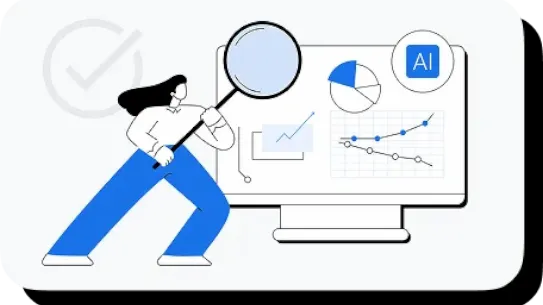
For recurring tasks or frequent prompt patterns, creating a new Gem may be useful. For example, a sales role requiring weekly high-level summaries can utilize a custom Gem designed as an expert sales data analyst. Instructions can be set to process raw data, isolate specific metrics, and format the output into a summary with three bullet points. This eliminates the need to rewrite complex prompts weekly; the custom Gem can simply be opened to process new data into a consistent report.

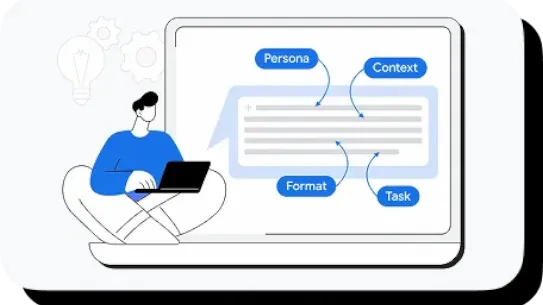
Creating a new Gem follows a prompting structure that includes a persona, task, format, and context. Testing the Gem ensures consistent outputs before saving. If results vary, the Gem can be edited to refine performance.

Best practices for creating new Gems

Developing a Gem is an iterative process; the instructions will likely need to be modified as its used and its outputs are assessed. There are a few strategies that can help:

Use Gemini for help with drafting Gem instructions

When developing or enhancing Gem instructions, a technique known as meta-prompting can be a useful tactic. This involves using AI to generate or refine prompts, resulting in a more robust set of instructions. Gemini can demonstrate what effective instructions for a Gem look like, providing inspiration for the user. Generated instructions can be undone or edited as needed.

Use specific instructions to get even more tailored responses

Providing specific context and style to Gems informs the nature of the responses. For instance, a career guide Gem can be instructed to simulate a hiring manager to facilitate interview rehearsal. Alternatively, for employee training purposes, a Gem can simulate a new hire posing numerous questions. This approach aids in practicing responses for specific scenarios.

Gems as a specialized team

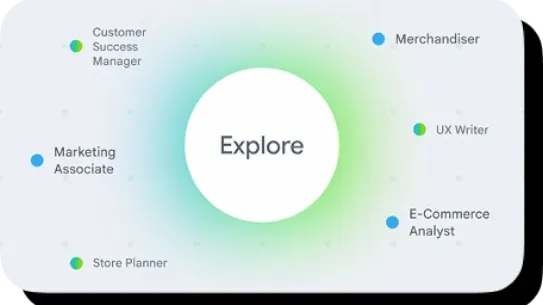
Gems can function as a team of specialized AI assistants, with each one tailored to handle a different useful role. Instead of relying on a single prompt for all needs, a distinct "team" can be curated to support specific business functions.

For instance, a marketing manager might utilize a "Creative Consultant" Gem to provide feedback on the layout of presentation slides. This can be complemented by a "Data Analyst" Gem designed to process raw figures into formatted weekly summaries. A separate "Copy Editor" Gem can be created to refine professional emails and ensure communication remains polished. This collection of specialized tools allows for the delegation of distinct tasks to the most appropriate AI assistant.

Incorporating Gems into your workflows

By converting effective prompts into custom experts, Gems offer a way to create a variety of specialized, on-demand AI assistants. Whether for analytical tasks or creative work, a Gem can be designed to help with many distinct functions. Repeat, routine tasks tend to offer excellent opportunities for Gems to support and enhance your workflow, saving time and cognitive resources for other uses.

This article is a curated excerpt from the Google AI Professional Certificate. This certificate is your path to AI fluency, built by Google experts. You’ll move beyond the basics with hands-on practice, gaining the in-demand skills and confidence to apply AI to your job from day one.

Enroll in the full certificate here to start building your portfolio with 20+ job-ready AI solutions, showcasing new and in-demand skills that employers are looking for.

Subscribe to Grow with Google updates

By clicking subscribe, you consent to receive email communication from Grow with Google and its programs. Your information will be used in accordance with Google Privacy Policy and you may opt out at any time by clicking unsubscribe at the bottom of each communication.


Thank you for your submission!
Afghanistan
Albania
Algeria
American Samoa
Andorra
Angola
Anguilla
Antarctica
Antigua & Barbuda
Argentina
Armenia
Aruba
Ascension Island
Australia
Austria
Azerbaijan
Bahamas
Bahrain
Bangladesh
Barbados
Belarus
Belgium
Belize
Benin
Bermuda
Bhutan
Bolivia
Bosnia & Herzegovina
Botswana
Bouvet Island
Brazil
British Indian Ocean Territory
British Virgin Islands
Brunei
Bulgaria
Burkina Faso
Burundi
Cambodia
Cameroon
Canada
Cape Verde
Cayman Islands
Central African Republic
Chad
Chile
China
Christmas Island
Cocos (Keeling) Islands
Colombia
Comoros
Congo - Brazzaville
Congo - Kinshasa
Cook Islands
Costa Rica
Croatia
Curaçao
Cyprus
Czechia
Côte d’Ivoire
Denmark
Djibouti
Dominica
Dominican Republic
Ecuador
Egypt
El Salvador
Equatorial Guinea
Eritrea
Estonia
Eswatini
Ethiopia
Falkland Islands (Islas Malvinas)
Faroe Islands
Fiji
Finland
France
French Guiana
French Polynesia
French Southern Territories
Gabon
Gambia
Georgia
Germany
Ghana
Gibraltar
Greece
Greenland
Grenada
Guadeloupe
Guam
Guatemala
Guinea
Guinea-Bissau
Guyana
Haiti
Heard & McDonald Islands
Honduras
Hong Kong
Hungary
Iceland
India
Indonesia
Iraq
Ireland
Israel
Italy
Jamaica
Japan
Jordan
Kazakhstan
Kenya
Kiribati
Kuwait
Kyrgyzstan
Laos
Latvia
Lebanon
Lesotho
Liberia
Libya
Liechtenstein
Lithuania
Luxembourg
Macao
Madagascar
Malawi
Malaysia
Maldives
Mali
Malta
Marshall Islands
Martinique
Mauritania
Mauritius
Mayotte
Mexico
Micronesia
Moldova
Monaco
Mongolia
Montenegro
Montserrat
Morocco
Mozambique
Myanmar (Burma)
Namibia
Nauru
Nepal
Netherlands
New Caledonia
New Zealand
Nicaragua
Niger
Nigeria
Niue
Norfolk Island
North Macedonia
Northern Mariana Islands
Norway
Oman
Pakistan
Palau
Palestine
Panama
Papua New Guinea
Paraguay
Peru
Philippines
Pitcairn Islands
Poland
Portugal
Puerto Rico
Qatar
Romania
Russia
Rwanda
Réunion
Samoa
San Marino
Saudi Arabia
Senegal
Serbia
Seychelles
Sierra Leone
Singapore
Sint Maarten
Slovakia
Slovenia
Solomon Islands
Somalia
South Africa
South Georgia & South Sandwich Islands
South Korea
South Sudan
Spain
Sri Lanka
St. Barthélemy
St. Helena
St. Kitts & Nevis
St. Lucia
St. Martin
St. Pierre & Miquelon
St. Vincent & Grenadines
Suriname
Svalbard & Jan Mayen
Sweden
Switzerland
São Tomé & Príncipe
Taiwan
Tajikistan
Tanzania
Thailand
Timor-Leste
Togo
Tokelau
Tonga
Trinidad & Tobago
Tunisia
Turkmenistan
Turks & Caicos Islands
Tuvalu
Türkiye
U.S. Outlying Islands
U.S. Virgin Islands
Uganda
Ukraine
United Arab Emirates
United Kingdom
United States
Uruguay
Uzbekistan
Vanuatu
Vatican City
Venezuela
Vietnam
Wallis & Futuna
Western Sahara
Yemen
Zambia
Zimbabwe
By clicking subscribe, you consent to receive email communication from Grow with Google and its programs. Your information will be used in accordance with Google’s Privacy Policy and you may opt out at any time by clicking unsubscribe at the bottom of each communication.
* indicates required field
right-card-max-800x600-7nh8u0w.webp

Thanks for subscribing to the Grow with Google newsletter!