AI Professional

7 ways to use AI at work

Generative AI is transforming the modern workplace, offering new ways to streamline tasks and enable more efficient workflows. By using AI at work, you can complete routine processes, generate creative content, and solve complex problems faster than ever before. Below, we’ll examine seven work-related use cases for AI with examples of prompting strategies you can use yourself.

March 20, 2026
7-minute read

Grow with Google

Editorial Team

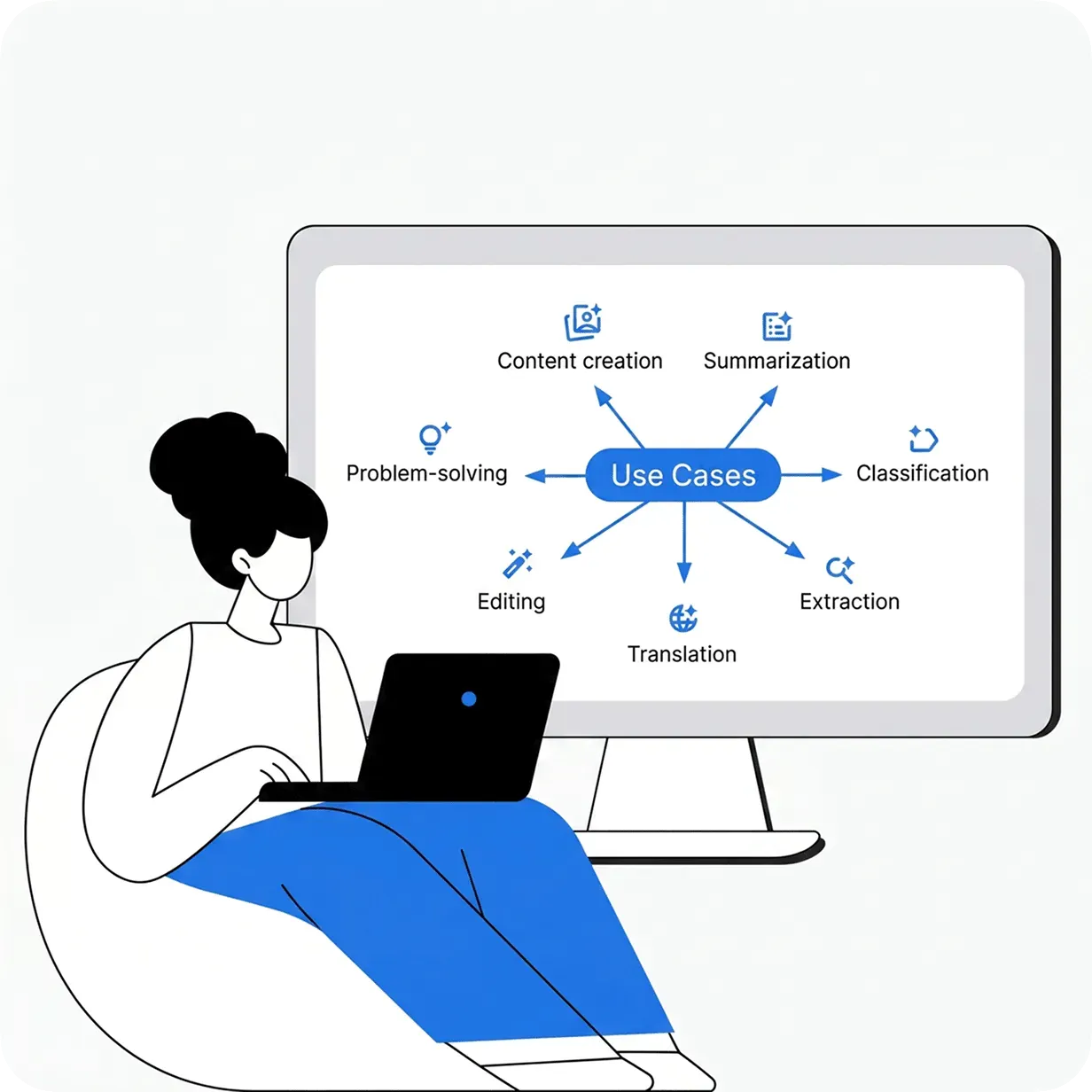
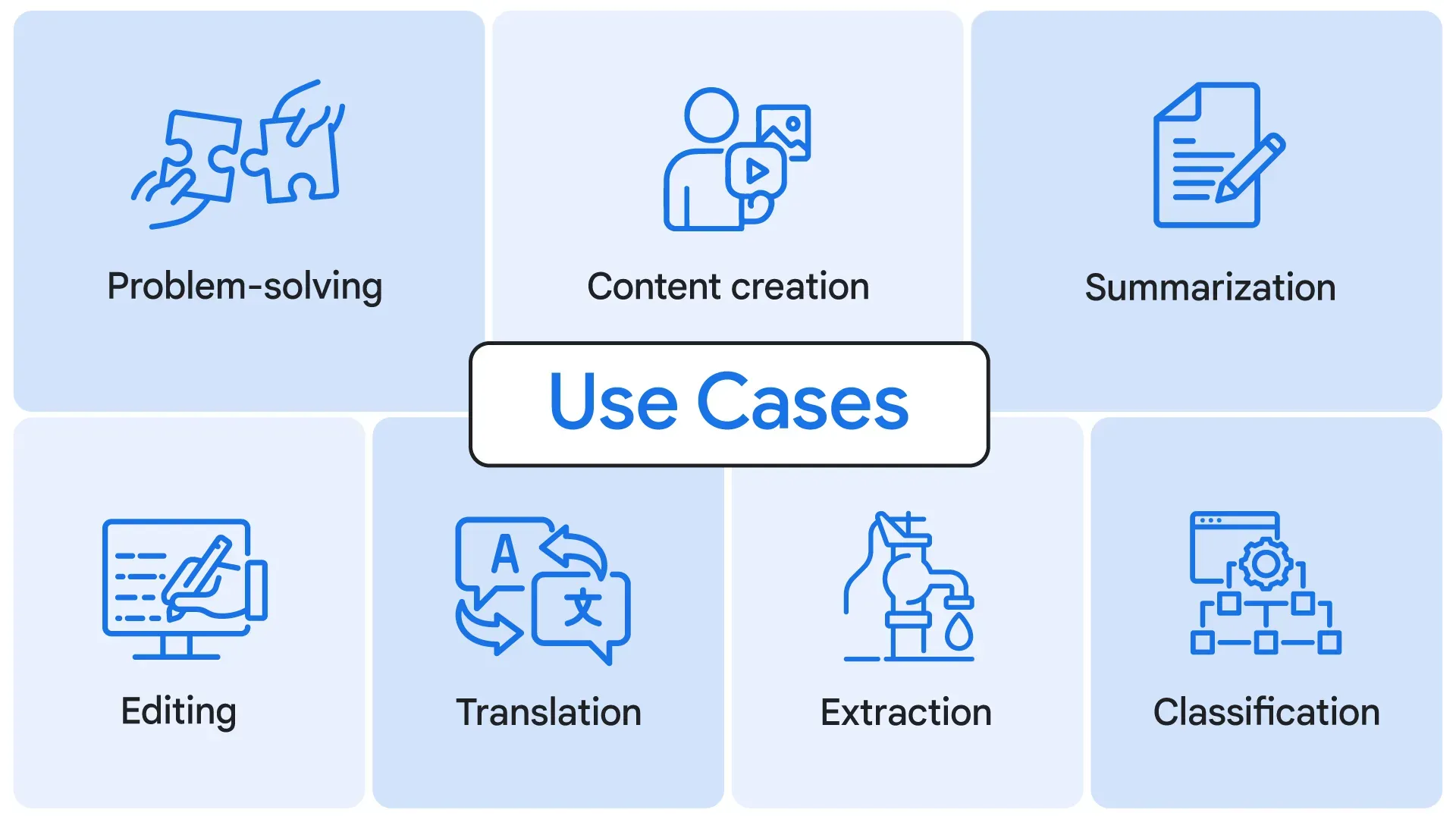
Graphic of AI use cases: content creation, summarization, translation, and problem-solving

Sign up to get the latest news and insights from Grow with Google

Sign up

Adapting your prompting strategies by use case

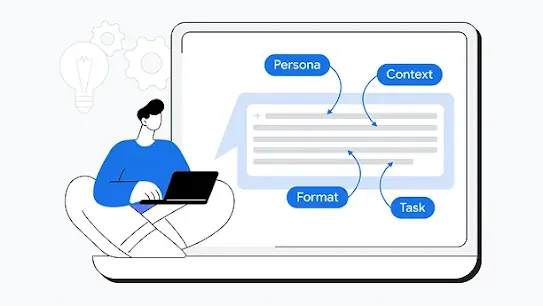
Effective prompting can help guide an AI assistant to generate useful outputs for a variety of tasks, from content creation to problem solving. Below, you’ll see some examples of how to use AI for various tasks you might encounter at work. While each use case may require specific techniques, the core principles remain the same: Include a persona (the role the AI should assume), task, format, and context in your prompt, then evaluate your results and iterate until you are satisfied. With practice, you can learn how to craft prompts for almost any situation and start seeing higher-quality outputs.
use case diagram

Content creation

You can use generative AI to help you create content like images, videos, documents, and code.

Let’s say you're trying to launch a new marketing campaign, but you get stuck trying to draft a catchy tagline that captures the product's value. One way you could move past that creative block is by treating your AI assistant as a creative partner, using a version of the sample prompt below:

Sample prompt:

"Act as a creative advertising professional. Create a tagline for a washing machine that gets clothes extra clean, has 25 settings, and fits in a small space. The tagline should use an active voice, and be no more than 6 words. Refer to these examples of successful taglines in this industry.

  • Reference #1: Less soap. More clean. 
  • Reference #2: Transform laundry into pure magic."

Learn more about how you can use Gemini as a creative partner.

Summarization

You can also use AI assistants to quickly process and condense large amounts of text while preserving key pieces of information. AI is ideal for quickly distilling complex information into clear, concise highlights.

Imagine you receive an email from a vendor listing software subscriptions available for purchase. You need a short summary to understand the different products and their benefits so you can make a recommendation to your team.

Sample prompt:

"Summarize the following email from a software vendor. Create a concise, professional summary that includes a bulleted list of each paid subscription tier with its benefits. The summary should be easy to quickly review before following up with your team.

[Insert email content]"

Classification

You can prompt an AI assistant to analyze and categorize content like service emails and customer reviews based on specific criteria. This can help speed up work that would otherwise be time-intensive or impossible manually.

For instance, let’s imagine your company has received hundreds of customer reviews, and you need a fast way to sort them into positive, negative, and neutral piles to identify urgent issues.

Sample prompt:

"Analyze these customer reviews and tell me whether the sentiment of the reviews is positive, negative, or neutral. For each review, provide a one-sentence explanation for the classification based on these criteria:

  • Positive: Consistently favorable comments or mostly positive with minor criticisms 
  • Neutral: Mixed or balanced positive and negative comments 
  • Negative: Consistently unfavorable comments or mostly negative with minor positive elements

[Insert customer reviews]"

Extraction

You can save time at work by having AI quickly gather the exact information you need from large, complex documents. This could be numbers from financial reports, product details from catalogs, or key points from meeting notes. For more precise results, try using the verb "extract" in your prompt, along with clear instructions about the type of information you need and how you want it formatted.

For example, let’s say you’re a department manager planning your team's budget and you need to pull all the specific item prices from a supplier’s lengthy blog post without missing anything.

Sample prompt:

"I'm planning our department's clothing budget and need to track pricing trends. Extract all of the references to items of clothing I can buy and how much each item costs from the blog post below. Create a spreadsheet of just these items. Format the output with two columns labeled 'Item' and 'Price.' Capitalize list items and organize them by price from high to low.

[Insert blog post content]"

Translation

Another way you could use AI at work is to translate content for global audiences, making it easier to communicate with international colleagues and to create multilingual content. Note that you should always double check your responses with a language expert to verify that the output is error-free.

Let’s say you need to publish new product descriptions in another language. You want to ensure your new product descriptions not only preserve the original marketing tone, but also account for cultural nuances that will resonate with an international audience.

Sample prompt:

"We're a boutique bike shop that sells cycling and outdoor adventure gear. Translate our product descriptions from English to Dutch. Maintain the same structure and casual tone that’s used in the English version in the Dutch translation. Consider cultural context and ensure the expressions maintain their marketing appeal in Dutch.

  • Reference #1: Whether you’re exploring city streets or forest paths, our sleek and durable bicycle has it all. 
  • Reference #2: Roll into summer in style with our smooth and stylish bikes."

Editing

You can use generative AI to help refine and improve existing text to ensure clear communication. Using specific editing instructions helps the model make appropriate adjustments while preserving the original message.

Imagine you just finished drafting a highly technical internal memo. Now you need to rewrite it so that a non-technical audience, like the sales department, can easily understand the main points.

Sample prompt:

"As the communications manager for a manufacturing company, I need to explain our site selection process to local community stakeholders. Rewrite this text for a non-technical audience. Simplify the language while keeping all the main ideas intact.

[Insert text content]"

Problem solving

You can ask an AI assistant to help you break down complex challenges and quickly come up with potential solutions. When working on these kinds of tasks, dividing your request into manageable steps can help produce better results.

Let's say you're responsible for organizing a community program. You need to develop a complete action plan, from finding a location to scheduling activities that fit a specific timeline. You can break this task into multiple steps.

Sample Prompt [Step 1]:

"We’re running a community program to teach children gardening skills. The program runs from June 1 to August 15. We want the children to be able to grow plants that will be ready for harvest by the time the program ends. First, identify a list of 10 plants that can be planted and grown in that time period."

Sample Prompt [Step 2]:

"Next, choose three plants from the list that will provide the children with the most variety. We want the children to grow three plants that are as different from each other as possible."

Final thoughts

Whether you’re using generative AI to summarize documents or solve complex problems, the prompting strategies above can help you practice using AI at work across different scenarios. As you do, you’ll start to build the confidence needed to adapt your prompts to any task and still get the results you need.

Remember to use AI responsibly and keep data-safety in mind. It’s best practice to always review your organization's guidelines and avoid inputting any sensitive, private, or confidential details into AI models in order to keep your company and customer data safe.

This article is a curated excerpt from the Google AI Professional Certificate. This certificate is your path to AI fluency, built by Google experts. You’ll move beyond the basics with hands-on practice, gaining the in-demand skills and confidence to apply AI to your job from day one.

Enroll in the full certificate here to start building your portfolio with 20+ job-ready AI solutions, showcasing new and in-demand skills that employers are looking for.

Subscribe to Grow with Google updates

By clicking subscribe, you consent to receive email communication from Grow with Google and its programs. Your information will be used in accordance with Google Privacy Policy and you may opt out at any time by clicking unsubscribe at the bottom of each communication.


Thank you for your submission!
Afghanistan
Albania
Algeria
American Samoa
Andorra
Angola
Anguilla
Antarctica
Antigua & Barbuda
Argentina
Armenia
Aruba
Ascension Island
Australia
Austria
Azerbaijan
Bahamas
Bahrain
Bangladesh
Barbados
Belarus
Belgium
Belize
Benin
Bermuda
Bhutan
Bolivia
Bosnia & Herzegovina
Botswana
Bouvet Island
Brazil
British Indian Ocean Territory
British Virgin Islands
Brunei
Bulgaria
Burkina Faso
Burundi
Cambodia
Cameroon
Canada
Cape Verde
Cayman Islands
Central African Republic
Chad
Chile
China
Christmas Island
Cocos (Keeling) Islands
Colombia
Comoros
Congo - Brazzaville
Congo - Kinshasa
Cook Islands
Costa Rica
Croatia
Curaçao
Cyprus
Czechia
Côte d’Ivoire
Denmark
Djibouti
Dominica
Dominican Republic
Ecuador
Egypt
El Salvador
Equatorial Guinea
Eritrea
Estonia
Eswatini
Ethiopia
Falkland Islands (Islas Malvinas)
Faroe Islands
Fiji
Finland
France
French Guiana
French Polynesia
French Southern Territories
Gabon
Gambia
Georgia
Germany
Ghana
Gibraltar
Greece
Greenland
Grenada
Guadeloupe
Guam
Guatemala
Guinea
Guinea-Bissau
Guyana
Haiti
Heard & McDonald Islands
Honduras
Hong Kong
Hungary
Iceland
India
Indonesia
Iraq
Ireland
Israel
Italy
Jamaica
Japan
Jordan
Kazakhstan
Kenya
Kiribati
Kuwait
Kyrgyzstan
Laos
Latvia
Lebanon
Lesotho
Liberia
Libya
Liechtenstein
Lithuania
Luxembourg
Macao
Madagascar
Malawi
Malaysia
Maldives
Mali
Malta
Marshall Islands
Martinique
Mauritania
Mauritius
Mayotte
Mexico
Micronesia
Moldova
Monaco
Mongolia
Montenegro
Montserrat
Morocco
Mozambique
Myanmar (Burma)
Namibia
Nauru
Nepal
Netherlands
New Caledonia
New Zealand
Nicaragua
Niger
Nigeria
Niue
Norfolk Island
North Macedonia
Northern Mariana Islands
Norway
Oman
Pakistan
Palau
Palestine
Panama
Papua New Guinea
Paraguay
Peru
Philippines
Pitcairn Islands
Poland
Portugal
Puerto Rico
Qatar
Romania
Russia
Rwanda
Réunion
Samoa
San Marino
Saudi Arabia
Senegal
Serbia
Seychelles
Sierra Leone
Singapore
Sint Maarten
Slovakia
Slovenia
Solomon Islands
Somalia
South Africa
South Georgia & South Sandwich Islands
South Korea
South Sudan
Spain
Sri Lanka
St. Barthélemy
St. Helena
St. Kitts & Nevis
St. Lucia
St. Martin
St. Pierre & Miquelon
St. Vincent & Grenadines
Suriname
Svalbard & Jan Mayen
Sweden
Switzerland
São Tomé & Príncipe
Taiwan
Tajikistan
Tanzania
Thailand
Timor-Leste
Togo
Tokelau
Tonga
Trinidad & Tobago
Tunisia
Turkmenistan
Turks & Caicos Islands
Tuvalu
Türkiye
U.S. Outlying Islands
U.S. Virgin Islands
Uganda
Ukraine
United Arab Emirates
United Kingdom
United States
Uruguay
Uzbekistan
Vanuatu
Vatican City
Venezuela
Vietnam
Wallis & Futuna
Western Sahara
Yemen
Zambia
Zimbabwe
By clicking subscribe, you consent to receive email communication from Grow with Google and its programs. Your information will be used in accordance with Google’s Privacy Policy and you may opt out at any time by clicking unsubscribe at the bottom of each communication.

* indicates required field
right-card-max-800x600-7nh8u0w.webp

Thanks for subscribing to the Grow with Google newsletter!