


Hi Southeast Asia, how can I help?
The Gemini Report captures how Southeast Asians are using Gemini with distinctively native flavors as Gemini journeys toward becoming the most helpful AI assistant.
A daily companion for Singaporeans
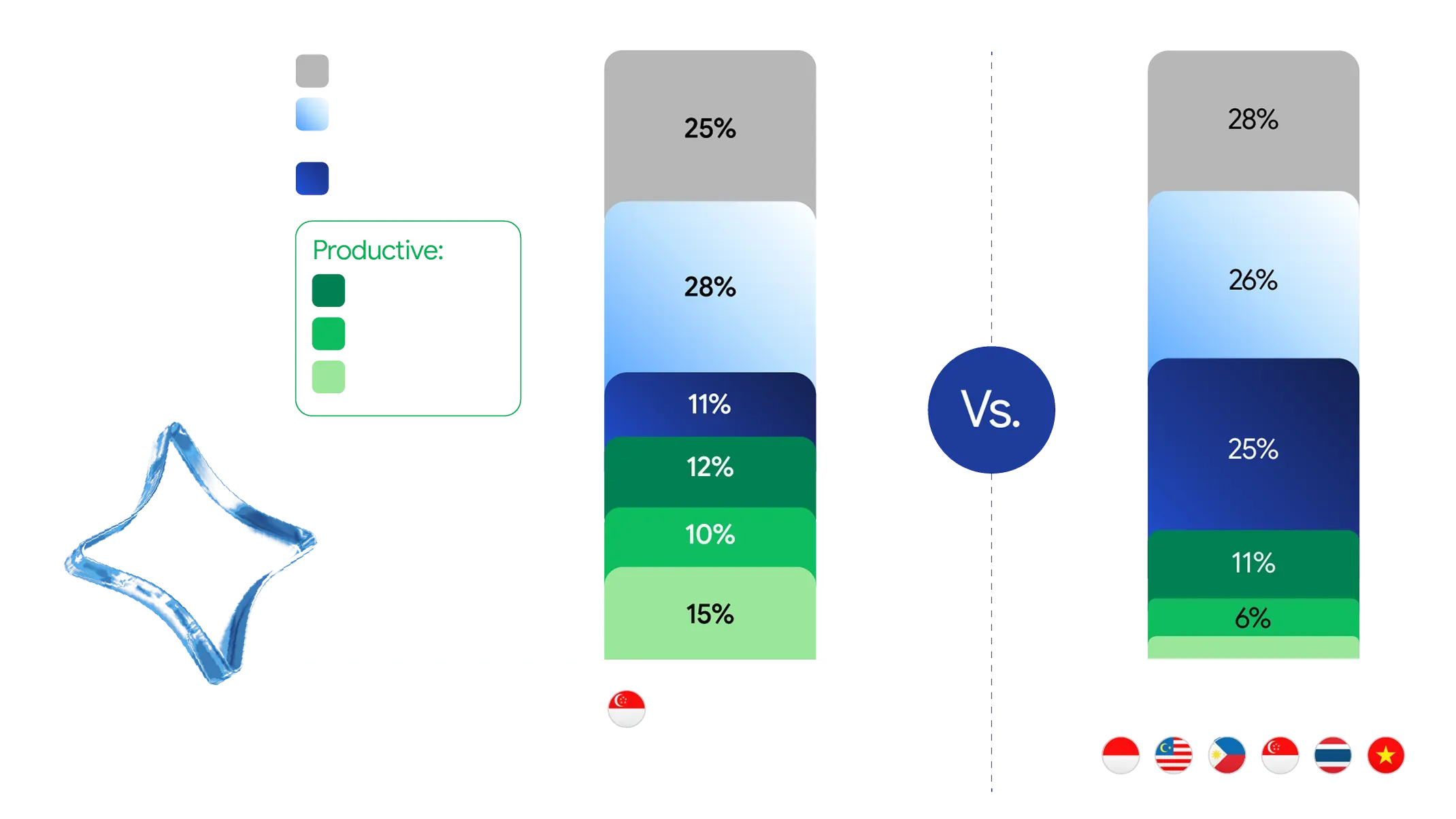
The most popular user journeys by share of Gemini requests gives a peek into how Singaporeans like to approach Gemini in their own unique ways.3

Top of the charts
Singapore boasts the highest adoption per capita of Gemini globally.4 The Lion City has also experienced the fastest growing adoption across the region, when active users more than doubled in the last few months of 2025,5 with Singaporeans between 25 and 34 years old accounting for 40% of its user base.6

Everything buddy
Beyond its widespread adoption, Singaporeans are truly making Gemini a part of their daily routines. Singapore tops the region with the highest daily engagement.7 Singaporean users prompt Gemini nearly 10 times per day, another regional benchmark.8
Productivity assistant on weekdays
In Singapore, productive user journeys overtake creative and casual requests on weekdays.9 That includes professional, academic or coding-related, such as explaining or debugging a snippet of code. As Singaporeans rely on Gemini as an assistant for heavy-duty productivity tasks, nearly 60% of the requests in town come from computers,10 bucking the trend with the otherwise mobile-first Southeast Asia.

Personal planner on weekends
Gemini usage in Singapore shifts during weekends, when casual chats and lifestyle requests rise to nearly a third of all prompts.11 Much of these casual conversations revolve around health, shopping and meals, well known passion points for many Singaporeans. Requests related to personal finance and travel are also more popular in Singapore than in other other countries in the region.12
Explore the real-world magic happening when Southeast Asians dream bigger with Gemini
"One-Person Business" Powered by Gemini
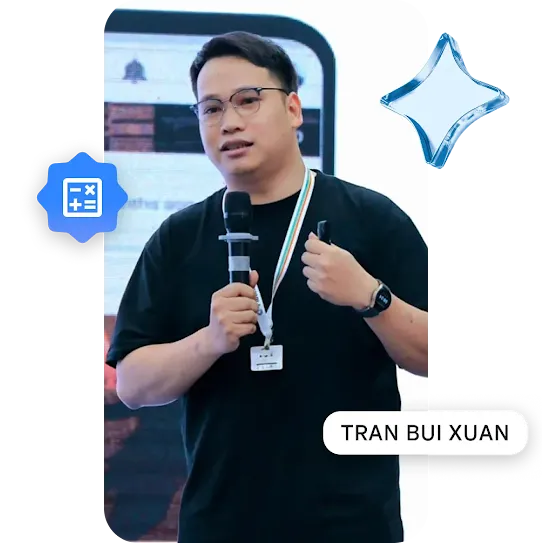
Hence, Tran started using Gemini to streamline his operational processes, serving as his virtual assistant that could help conduct research, draft basic contract terms, and create a framework for marketing content. Gemini helped him handle these repetitive tasks quickly.
Empowering Mom-Entrepreneurs to Build Smart Business Tools with Gemini
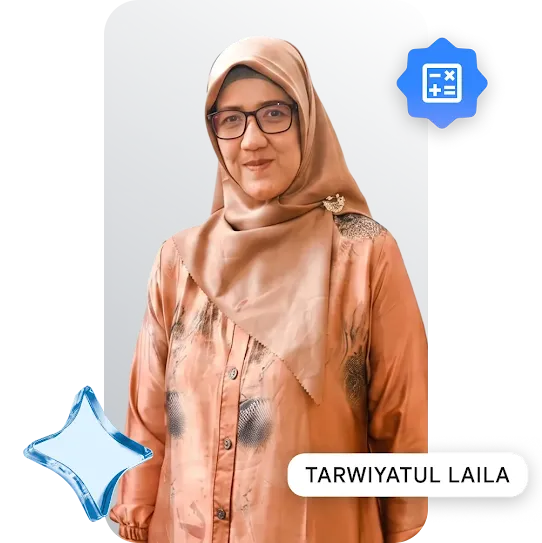
Bridging the Digital Divide with Localized Math Education
Recognizing the digital divide, Mrs. Laila, with the help of Gemini, developed an offline math app which allows students with limited internet access to continue learning and practicing at home. The app was a huge success, bridging the educational gap and earning Ms. Laila the title of Most Innovative Teacher in East Java in 2023.

Making classroom learning more inclusive with Gemini
Managing varied learning disabilities like autism and ADHD, she used Gemini as a collaborative brainstorming partner to build highly tailored Individual Education Programmes. This reduced planning time from weeks to days, while her students’ engagement in the classroom improved.

Transforming Study Habits into Active Learning with Gemini

Powering Real-World Creative Deliverables with Gemini
“Gemini makes it so easy to create a multitude of high-quality visuals and bring my ad concepts to life.”

Transforming traditional teaching into a cutting-edge learning experience with Gemini
“Gemini saves me time on tasks such as researching active learning ideas for math lessons, creating exercises, designing tests, and assessing learning outcomes. This gives me more time to inspire my students to love mathematics."
It's your turn to create

Understand a complex topic

Practice self-introduction in English

Prepare for an exam

Create a career learning plan
I need help understanding this topic. Can you help me break it down into simple terms?
First, respond to this command by asking me what topics or terms I'd like to know more about. Give me an option to upload a website or report that I am trying to understand. Then, based on the information I give, explain key concepts in clear, simple terms. Also provide additional resources like YouTube videos to further learn about the topic.
Practice self-introduction in English
First, respond to this command by asking me what I’d like to say about myself in the intro. Do not start until I have provided these information. Then, write a 3-5 sentence self-introduction in English. Avoid overly complicated words that are not frequently used in verbal communication. Explain any key vocabulary or grammar so I can learn.
Prepare for an exam
First, respond to this command by asking me to share more on the topic I am studying. Then, provide me with a short multiple choice quiz with 10-15 questions to test my knowledge. Do not start until I have provided this information.
Create a career learning plan
First, respond to this command by asking me about my current skills and my target role. Do not start until I have provided this information. Then, create a learning path including recommended skills to learn and free/affordable resources.

Draft a deadline extension email

Organize meeting notes

Polish customer support communication

Build customer response templates
Draft a deadline extension email
Help me draft a polite email to my client or manager asking for an extension on deadline. Make sure the overall tone is polite but not rigid. Double check that the reason for extension is realistic and professional.
First, ask me questions on what deadline I need an extension on and why. Then, draft the email based on my answer.
Organize meeting notes
First, respond to this command by asking me to paste my raw meeting notes, list the attendees, and specify the project name. Do not start until I have provided this information. Then, generate a clean, professional meeting minute including: 1) Meeting Overview (Date, Topic, Attendees), 2) Key Decisions Made, 3) Structured Discussion Points, and 4) An Action Item Table (Task, Owner, Deadline).
Polish customer support communication
First, respond to this prompt by asking me for the gist of what I need to say. Then, draft professional English responses for customers. Keep the tone warm and polite but not servile. It's okay to say sorry for the inconvenience, but do not over promise or accept responsibilities where it's not appropriate.
Build customer response templates
First, respond to this command by asking me about my business type, products sold, and the specific scenarios I need templates for (e.g., welcoming a new customer, explaining shipping delays, handling a request for a refund, or gently reminding about an unpaid invoice). Do not start until I have provided this information. Then, draft 3 distinct, professional yet warm templates tailored to the local e-commerce context (using appropriate polite terms to refer to customers).

Plan a month of social content

Conceptualize visual branding

Brainstorm gift crochet ideas

Design living room ideas
Plan a month of social content
First, respond to this command by asking me to provide what social media platforms I use, my channel name, contents I post about, and target market. Then, based on the info I give, create a 30-day social media content plan in a table format, containing: Day/Date, Content Pillar (Education, Entertainment, or Promotion), Topic Idea & Headline, Content Format (short vertical video, long horizontal video, live, photos, etc.), and appropriate Call to Action (CTA).
Conceptualize visual branding
First, respond to this command by asking me for the business name, service or product, target audience, design theme, and 3 words that describe the feeling I want my brand to evoke. Do not start until I have provided this information. Then, based on my inputs, use the 'Create Image' feature to generate 3 distinct visual mood boards, and explain the design rationale behind each. The mood board should include logos, interior spaces, product display corners, etc.
Brainstorm gift crochet ideas
I am a beginner / intermediate amigurumi artist, and I want to make a small gift for someone's birthday. I need the ideas to be visually appealing and not controversial. Craft 3 amigurumi ideas. Use the ‘Create Images’ feature to generate 1 image for each idea."
Design living room ideas
First, ask me for a photo of my living room. Next, generate an image of my living room with a modern, elevated style using only a minimal budget. Lastly, provide a breakdown of the specific changes, the rationale behind them, and the strategy for executing this transformation on a small budget.

Create a recipe from your fridge

Troubleshoot a broken appliance

Create a breathing exercise track

Diagnose plant health issues
Create a recipe from your fridge
First, respond to this command by asking me to provide ingredients I'd like to use. Then, based on the info I give, create 3 distinct, healthy recipes. Each recipe should include ingredients and instructions. Keep the recipe low to moderate in difficulty. Assume I have basic condiments for Asian cooking, but do not assume I have specialty ingredients readily available.
Troubleshoot a broken appliance
First, respond to this prompt by asking me to upload a picture of a model label on an appliance, and asking what issues I am having. If the picture is unclear, ask me for more information until you can find the right model. Then, find the official user manual, troubleshooting guide, and helpful videos to solve for the specific model. Your final response should have a quick summary of the root cause, how I can fix them, and link to the official manual from the manufacturer (if available).
Create a breathing exercise track
Use the ‘Create Music’ feature to generate a 30 second audio track. Use a calm, slow background music resembling deep, resonant spa music without a clear melody. Use a deep, breathy voice to lead box breathing exercise. The words should be exactly as follows:
Inhale, 2, 3, 4
Hold, 2, 3, 4
Exhale, 2, 3, 4.
Hold, 2, 3, 4
Diagnose plant health issues
First, respond to this prompt by asking for 1/ Picture of a plant, 2/ Any issues I notice. Then, tell me the name of the plant and what I can do to help it get healthier.
Ready for the full picture?
1 Google Internal Data, Apr 2026, announced at Google I/O June 2026.
2 Google Internal Data, SEA, Apr 2025 - Mar 2026.
3 Google Internal Data, SEA, Jan - Mar 2026.
4 Google Internal Data, Global, Dec ‘25. World Bank, Population estimates and projections database, Global, 2025.
5 Google Internal Data, SEA, Dec 2025.
6 Google Internal Data, SEA, Jan - Mar 2026.
7 Google Internal Data, Jan - Mar 2026.
8 Google Internal Data, SEA, Aug 2025 vs. Mar 2026.
9 Google Internal Data, SEA, Jan - Mar 2026.
10 Google Internal Data, SEA, Jan - Mar 2026.
11 Google Internal Data, SEA, Jan - Mar 2026.
12 Google Internal Data, SEA, Jan - Mar 2026.
