
Courses for every curiosity
-
Google Certified Educator Level 1
Master the fundamentals of Google tools in the classroom.
-
Google Certified Educator Level 2
Advanced strategies for technology integration and leadership.
-
Google AI Summits
One-day, free-of charge events focusing on all things Gemini.
-
Gemini Masterclass
Training on Google's Gemini for Education applications to save time and personalise learning.
-
Foundations of AI
Introduce artificial intelligence (AI) to students aged 11–14 with our unit of six lessons.
-
Experience AI: AI Safety
This unit provides all of the documents you need to help you introduce AI safety to 11-14 year olds.
-
Be Internet Awesome
Google's Be Internet Awesome program teaches children the fundamentals of digital citizenship and online safety through engaging educational resources, interactive games like Interland, and practical classroom curricula. Designed for kids, families, and teachers, the initiative empowers young learners to explore the web confidently and safely by focusing on five core lessons: being smart, alert, strong, kind, and brave online.
-
Gemini Enterprise Agent Ready (GEAR)
Level up your agent building skills with GEAR. Go from prototyping with Gemini to deploying secure, enterprise-grade agents with hands-on training and guidance from Google experts.
-
Google Developer Communities
The Google Developer Community platform serves as a global hub connecting developers, creators, and technology enthusiasts. It provides access to local Google Developer Groups (GDGs), student clubs, specialized forums, and global community events. Members can explore curated learning paths, receive technical support, collaborate with peers and experts, and access resources to build skills across Google Cloud, AI, Web, and Mobile platforms.
-
GDG AI for Science - Australia
The Google Developer Group (GDG) AI for Science - Australia chapter is a community platform designed to advance the adoption of artificial intelligence within scientific research. Run by members of the research community, it fosters knowledge exchange, collaboration, and learning among researchers across Australia through hands-on workshops, technical talks, and networking events.
-
Generative AI for Teachers
A self-paced course developed by Google in collaboration with MIT RAISE to help teachers save time, personalize instruction, and enhance classroom activities. Through practical exercises, Teachers learn essential prompting techniques, responsible AI practices, and hands-on strategies for incorporating generative AI into everyday instructional workflows.
-
Google for Startups Accelerator Australia
A ten-week, equity-free hybrid program designed for Seed to Series A stage startups building AI and machine learning solutions. Participating startups receive dedicated engineering mentorship from Google experts, early access to Google AI products, technical project support, and up to $350,000 in Google Cloud credits to help scale their platforms rapidly and responsibly.
-
AI Boost Bites: Gemini Gems – Your ultimate marketing sidekick
This video covers how to create your own Gemini Gems, advanced AI capabilities that can automate repetitive tasks and supercharge your productivity.
-
AI Boost Bites: Amplify Exec Voices with AI
This video will cover how to leverage Gemini Gems to create authentic social media posts in your leader's unique voice. Learn to overcome the challenge of scaling executive social presence by training a Gem with writing samples and clear instructions. Discover how to generate engaging posts quickly, saving time while amplifying thought leadership and ensuring authenticity.
-
AI Boost Bites: No-Code Sheets & Scripts
This video covers how you can leverage Gemini's advanced AI capabilities within Google Sheets to effortlessly pull data and generate insights in minutes, all without the need for any technical or coding background.
-
AI Boost Bites: Gemini Image-to-Sheets Hack
This video covers how to eliminate tedious manual data entry using Gemini. Learn how to take a picture or screenshot of data (from PDFs, paper, or images) and prompt Gemini to instantly convert it into a structured Google Sheet. Discover this simple hack to save countless hours transcribing data, turning Gemini into your personal data entry assistant. Just snap, prompt, and export!
-
AI Boost Bites: Exec Summaries with Gemini Gems
This video covers how you can create your own Brevity Gem to summarize and transform messy notes or long documents into clear, concise, executive-ready summaries.
-
AI Boost Bites: TL;DR with Gemini in Docs & Drive
This video covers how you can use Gemini to summarize long documents in Google Workspace, so you can quickly get the information you need and save time. You'll learn how to use Gemini to summarize entire documents or just selected text, as well as how to use Gemini in Drive to summarize across multiple files.
-
AI Boost Bites: Poke Holes in Your Strategy
AI Boost Bites is a video series designed to help you leverage Google's AI tools in your daily work. Each episode, under 10 minutes, features a quick video demonstrating a real-world AI use case or topic. After the video, you'll get a challenge to apply what you've learned. It's an easy, interactive way to boost your AI skills and improve your productivity.
-
AI Boost Bites: Prompting like a Pro with Google Workspace
This video covers prompt engineering fundamentals for effective AI communication. Learn a simple framework (Persona, Task, Context, Format) to craft clear prompts, getting better, faster results from Gemini in Google Workspace. Discover how to use natural language, be specific, and iterate for optimal AI assistance.
-
AI Boost Bites: Personalization with customized prompts
This video covers how to personalize your Gemini results in Google Workspace. Learn to incorporate documents and research papers directly into your prompts using the "@" symbol to get more targeted and relevant AI output tailored to your needs.
-
AI Boost Bites: Gemini Slide Summaries
This video covers how to use Gemini in Slides to automatically generate meeting recaps and draft follow-up emails, which can streamline your post-meeting workflow and save you time.
-
AI Boost Bites: Content Generation with Gemini Made Easy
This video will cover how you can leverage Gemini's advanced AI capabilities in Google Docs to brainstorm ideas, draft various marketing content, and collaborate with your team.
-
AI Boost Bites: Automate tasks with Gemini and Apps Script
This video covers how to use Gemini and Apps Script to automate manual tasks across Google Workspace. You'll learn to prompt Gemini to generate Apps Script code that automatically drafts email reminders in Google Sheets for tasks not marked 'Complete.' Automate your workflow with little to no technical expertise, freeing up time for more important work and eliminating manual follow-ups.
-
AI Boost Bites: Tame Your Inbox with AI
This video covers how to use Gemini in Gmail to summarize emails, find information, and draft replies, helping you manage your inbox more efficiently.
-
AI Boost Bites: Create Docs in Seconds
This video covers how to use the 'Help me create' feature in Google Docs to generate a complete, formatted document by referencing content from other files in your Drive.
-
AI Boost Bites: Email Content Creation
This video covers how to use Gemini in Gmail to draft new emails, refine their tone, respond with context from Drive files, and use smart reply suggestions.
-
AI Boost Bites: Presentation Scripts with Gemini
AI Boost Bites is a video series designed to help you leverage Google's AI tools in your daily work. Each episode, under 10 minutes, features a quick video demonstrating a real-world AI use case or topic. After the video, you'll get a challenge to apply what you've learned. It's an easy, interactive way to boost your AI skills and improve your productivity.
-
AI Boost Bites: Your Personal Feedback Agent
This video covers how to build a personalized "Work with Me" agent using Gemini Gems, which helps streamline foundational feedback and makes your meetings more strategic and efficient.
-
AI Boost Bites: Create Your Own Retro Arcade Game
In this video, you'll learn to use a simple text prompt in Gemini Canvas to build a playable game. You'll see how to create a Tic-Tac-Toe game, use a follow-up prompt to customize its theme to a retro 8-bit style, and share the final game with a link.
-
AI Boost Bites: Gamify Your Study Guides
In this video, you'll learn to turn your study guides into interactive quizzes using Gemini Canvas. You'll see how to upload your notes and use a simple prompt to generate a quiz with multiple choice and fill-in-the-blank questions that provide immediate feedback.
-
AI Boost Bites: Create Your Ultimate College Scouting Report
In this video, you'll learn to use creative prompts in Gemini to make complex research fun and easy to understand. You'll see how to ask Gemini to research a topic and present the findings in a creative format, like a sports scouting report and a head-to-head bracket, to better visualize and compare your options.
-
AI Boost Bites: Build a Personalized Weather App
In this video, you'll learn to build a working prototype of a personalized weather app using Gemini Canvas. You'll see how to specify the cities for a 7-day forecast and then use a follow-up prompt to change the app's theme to a minimal, dark mode interface.
-
AI Boost Bites: Animated Charts with Gemini
In this video, you'll learn to create an animated bar chart race using Gemini Canvas. You'll see how to write a prompt to visualize data over time and then use a follow-up prompt to refine the animation, such as slowing it down for a presentation.
-
AI Boost Bites: Become an AI Art Director for Your World
In this video, you'll learn to art direct your images in the Gemini app. You'll see how to use multi-turn editing to furnish an empty room step-by-step, and how to "remix" a photo by applying the color and texture of a butterfly's wings to a pair of rainboots.
-
AI Boost Bites: Create Your Own Productivity Tools
In this video, you'll learn to build a custom personal utility app using Gemini Canvas. You'll see how to write a detailed prompt to create a Pomodoro timer tailored to your specific needs, and then use follow-up prompts to adjust its visual design.
-
AI Boost Bites: Make Any Big Purchase with Confidence
In this video, you'll learn to use Gemini Deep Research to make complex purchasing decisions with confidence. You'll see how to write a nuanced, personal prompt about your specific needs and receive a synthesized, comparative report that cuts through the clutter of online reviews.
-
AI Boost Bites: Advanced Analysis in Sheets
In this video, you'll learn to use Gemini in Google Sheets for advanced data analysis. You'll learn how to create data visualizations, like a scatter plot, using a simple prompt. You'll also learn how to ask Gemini to analyze your data for strategic insights and recommendations, such as how to save money.
-
AI Boost Bites: From Napkin Sketch to Functional App
In this video, you'll learn to use Gemini Canvas to turn a simple drawing into a working app. You'll upload a sketch, use a simple prompt to generate code, watch a live preview build itself, and make iterative changes to your app prototype using natural language.
-
AI Boost Bites: Guided Learning with Gemini
In this video, you'll learn to use the Guided Learning experience in Gemini to build a deep understanding of any topic. You'll see how to start a conversation, engage with Gemini's probing questions, and use interactive tools like diagrams and quizzes to guide your learning journey.
-
AI Boost Bites: Your Personal AI Tutor
In this video, you'll learn to build a reusable, custom "Study Guide Gem." You'll see how to write the core instructions for your Gem once, and then use it again and again to transform messy notes and articles into a perfectly structured study guide with a summary, outline, and glossary.
-
AI Boost Bites: Talk to Your Data in Sheets
In this video, you'll learn to use the "Ask Gemini" feature in Google Sheets to manage your data with natural language. You'll see how to ask Gemini to create dropdowns, highlight sales data, create a pivot table, filter by month, and sort by revenue.
-
AI Boost Bites: One-Click Campaign Visuals
In this video, you'll learn to use the Create menu in Gemini Canvas to instantly convert a block of text into a variety of visual formats. You’ll see how to take a brainstormed marketing campaign and turn it into both a shareable infographic and an internal webpage with just one click.
-
AI Boost Bites: Turn Your Ideas into Animated Art
In this video, you'll learn to create complex animated art using Gemini Canvas. You'll see how to write a descriptive prompt to generate a kinetic typography animation with distortion effects, and then use a follow-up prompt to completely change its color style.
-
AI Boost Bites: AI Magic in a Sheets Cell
In this video, you'll learn to use the =AI() function in Google Sheets to automate your work. You'll see how to generate text like slogans, summarize paragraphs of customer feedback, and categorize data by classifying inquiries and analyzing sentiment.
-
AI Boost Bites: Create a 3D Solar System
In this video, you'll learn to create an interactive 3D simulation using Gemini Canvas. You'll see how to build a 3D model of the solar system from a single sentence and then use follow-up prompts to add interactive and educational features, like clickable planets and fun facts.
-
AI Boost Bites: Notes to Sheets with Gemini
In this video, you'll learn to use Gemini in Google Sheets to automatically generate organized trackers from unstructured data. You'll learn how to write a prompt that references other Google Drive files using the "@" symbol. You'll also see how Gemini builds a fully formatted, color-coded table with drop-down menus based on the data in your notes, saving you significant manual effort.
-
AI Boost Bites: Streamline Event Planning with AI
In this video, you'll learn to use an AI assistant to streamline large-scale event planning. You'll see how to prompt an AI to brainstorm off-site ideas, create fair groups for icebreakers, build a shuttle schedule based on arrival times, and analyze survey feedback for gains and losses.
-
AI Boost Bites: Create the Perfect Portrait
In this video, you'll learn to create imaginative portraits in the Gemini app that maintain your likeness. You'll see how to use the "Subject, Action, Scene, Style" formula for better prompts, transport yourself into a vintage photo, and combine a photo of yourself and your dog into one new image.
-
AI Boost Bites: Become a Creative Mashup Artist
In this video, you'll learn the "creative mashup artist" technique for combining images. You'll see how to generate a subject and a scene as two separate images, and then use a final blending prompt to fuse the astronaut from the first image and the court from the second into one new picture.
-
AI Boost Bites: Become a "Vibe DJ"
In this video, you'll learn to build a working music synthesizer using a simple text prompt in Gemini Canvas. You'll see how to specify controls like waveform, attack, and sustain, and then interact with the generated instrument to create and experiment with your own unique sounds.
-
AI Boost Bites: Get Your Competitor's Playbook in Minutes
In this video, you'll learn to use Gemini Deep Research to conduct competitive marketing analysis. You'll see how to submit a research prompt, approve the personalized research plan Gemini creates, and receive a detailed, synthesized report on competitor campaigns to inform your strategy.
-
AI Boost Bites: Gemini Calendar Hacks in Gmail
In this video, you'll learn to use Gemini in Google Workspace to manage your calendar from your Gmail inbox. You'll learn how to ask Gemini about your schedule in the side panel and how to create new events without switching apps. You'll also learn how to use Gemini's one-click scheduling feature when it automatically detects event details in an email.
-
AI Boost Bites: Supercharge Research with Gemini
In this video, you'll learn pro tips for conducting thorough competitive research with Gemini Deep Research. You'll see how to enhance a basic prompt by assigning a persona, specifying a table format for the output, and directing the AI to search specific sources like Reddit for richer insights.
-
AI Boost Bites: Build Slides Fast with Gemini
In this video, you'll learn to use Gemini in Google Slides to build polished presentations efficiently. You'll see how to create slides by referencing content directly from your Google Drive files using the "@" symbol. You'll also learn to generate custom, professional images from a simple text prompt to visually enhance your presentation.
-
AI Boost Bites: Become a Homework Hero for Your Kids
In this video, you'll learn to use Gemini Deep Research to support your child's education. Master the art of prompting for deep dives that provide quick refreshers for parents and fun, engaging details to spark your child's curiosity.
-
AI Boost Bites: Your AI Chart Detective
In this video, you'll learn to use Gemini as your personal data analyst. Master the art of turning screenshot "spaghetti" charts into clear strategic insights by asking plain-English questions about the patterns you see.
-
AI Boost Bites: Presentations in Seconds with Nano Banana Pro
In this video, you'll learn to use Nano Banana Pro to create visually compelling slides. Master the art of using AI to turn data into infographics, "beautify" messy content, and generate on-brand cover slides in seconds.
-
AI Boost Bites: Shareable Gems
This video covers how to use the "Share" feature in Gemini to distribute custom Gems to teammates, managing permissions and file access to scale expertise across your organization.
-
AI Boost Bites: Triage a Crisis with Gemini
This video covers how to use the Gemini side panel in Gmail to analyze long email threads, identify technical owners, and draft escalations to resolve customer crises.
-
AI Boost Bites: Build Charts with a Prompt
In this video, you'll learn to create dynamic visualizations in Google Sheets without the manual setup. Master the art of prompting Gemini to generate charts for marketing campaigns, sales projections, or inventory trends, and learn how to customize them to fit your needs.
-
AI Boost Bites: Bring your photos to life with AI
In this video, you'll learn to turn still images into dynamic videos using Gemini. Master the art of prompting for motion and audio to animate sketches and photographs, instantly elevating your visual storytelling.
-
AI Boost Bites: Build Your AI Strategic Partner
In this video, you'll learn to build a custom Gemini Gem that acts as your personal executive advisor. Master the art of defining instructions and uploading "knowledge" files to create a partner that helps you strategize and lead with confidence.
-
AI Boost Bites: The Recruiter's Playbook in Gmail
In this video, you'll learn to streamline your email workflow using Gemini. Master the art of generating to-do lists from your inbox, crafting specific outreach prompts for better results, and polishing your drafts to perfection.
-
Google Agile Essentials
Learn essential Agile project management skills with Google Agile Essentials. Master foundational Agile concepts, implement the Scrum framework, build key artifacts like product backlogs, and run effective sprints to lead teams and deliver high-impact results in under 10 hours.
-
Google AI Essentials
A self-paced online course designed to help learners across roles and industries gain foundational AI skills to boost workplace productivity. Taught by Google experts with no prior experience required, the program covers generative AI tools, effective prompt writing, responsible AI practices, and strategies for staying up to date in the evolving tech landscape.
-
Google AI Professional Certificate
The Google AI Professional Certificate program helps learners build AI fluency and practical skills through hands-on training with tools like Gemini and NotebookLM. Across eight beginner-level courses, participants learn to adopt a collaborative mindset, practice responsible AI usage, build custom apps, and apply AI tools to essential workplace tasks such as data analysis, research, planning, and content creation.
-
Google Cybersecurity Certificate
This program equips beginners with essential skills and practical experience in threat detection, incident response, and risk management. Across eight flexible, self-paced courses, participants gain hands-on training with industry-standard tools like Python, Linux, SQL, and SIEM platforms to prepare for high-demand, entry-level cybersecurity roles.
-
Google Data Analytics Professional Certificate
This certificate equips learners with job-ready skills and hands-on training to start a career in data analysis. Developed by Google experts, the program covers essential tools and platforms such as spreadsheets, SQL, Python, Tableau, and AI tools. Across beginner-friendly courses, participants learn how to collect, clean, analyze, and visualize data to solve real-world business problems and drive informed decision-making.
-
Google Digital Marketing & E-Commerce Professional Certificate
The certificate equips learners with job-ready skills to launch a career in high-demand fields. Taught by Google experts, this fully online, self-paced program covers essential topics including SEO, Google Ads, social media marketing, email marketing, and Shopify e-commerce management through hands-on practice with industry-standard tools.
-
Google IT Support Professional Certificate
The program equips beginners with essential skills in troubleshooting, customer service, networking, operating systems, system administration, and security. Designed by experts at Google, this fully online, self-paced program prepares learners for entry-level roles in the high-growth field of information technology without requiring prior experience or a degree.
-
Google Project Management Professional Certificate
The Google Project Management Professional Certificate program helps learners build foundational project management skills through hands-on training with traditional and Agile methodologies, as well as modern AI tools. Across six beginner-level, self-paced courses, participants learn to estimate budgets, manage risks, coordinate with stakeholders, and use tools like Scrum and Asana to prepare for in-demand, entry-level project management roles.
-
Google UX Design Professional Certificate
A fully online, self-paced program designed to prepare beginners for entry-level careers in user experience design. Developed by Google experts, the course covers foundational design principles, user research, wireframing, prototyping, and usability testing while providing hands-on training with industry tools like Figma and Adobe XD. Throughout the curriculum, learners complete interactive activities and build a professional portfolio featuring three end-to-end projects to present to potential employers.
-
Google People Management Essentials
Learn the core skills to become a confident and effective people manager from leaders at Google.
-
Accelerate Your Job Search with AI
Learn practical job search strategies using Gemini and Gemini Notebook to stand out to employers.
-
Google IT Automation with Python Professional Certificate
Learn in-demand skills like Python, Git, and IT automation to advance your career.
-
Google Advanced Data Analytics Professional Certificate
Learn in-demand skills like statistical analysis, Python, regression models, and machine learning in less than 6 months.
-
Google Business Intelligence Professional Certificate
Learn in-demand skills like data modeling, data visualization, and dashboarding and reporting.
-
Gemini in Google Drive
This course covers how to use Gemini in Google Drive to manage and retrieve files. Learn to locate assets using natural language, extract specific facts via AI Overviews without opening files, instantly summarize multiple media formats, and save file collections as Projects for repeatable research. Explore other content in the Gemini Enterprise Agent Ready (GEAR) program.
-
Gen AI: Navigate the Landscape
Gen AI: Navigate the Landscape s the third course of the Gen AI Leader learning path. Gen AI is changing how we work and interact with the world around us. But as a leader, how can you harness its power to drive real business outcomes? In this course, you explore the different layers of building gen AI solutions, Google Cloud’s offerings, and the factors to consider when selecting a solution.
-
Gen AI: Unlock Foundational Concepts
Gen AI: Unlock Foundational Concepts is the second course of the Gen AI Leader learning path. In this course, you unlock the foundational concepts of generative AI by exploring the differences between AI, ML, and gen AI, and understanding how various data types enable generative AI to address business challenges. You also gain insights into Google Cloud strategies to address the limitations of foundation models and the key challenges for responsible and secure AI development and deployment.
-
Gen AI Apps: Transform Your Work
Transform Your Work With Gen AI Apps is the fourth course of the Gen AI Leader learning path. This course introduces Google’s gen AI applications, such as Google Workspace with Gemini and NotebookLM. It guides you through concepts like grounding, retrieval augmented generation, constructing effective prompts and building automated workflows.
-
Gen AI Agents: Transform Your Organization
Gen AI Agents: Transform Your Organization is the fifth and final course of the Gen AI Leader learning path. This course explores how organizations can use custom gen AI agents to help tackle specific business challenges. You gain hands-on practice building a basic gen AI agent, while exploring the components of these agents, such as models, reasoning loops, and tools. Explore other content in the Gemini Enterprise Agent Ready (GEAR) program.
-
Gen AI: Beyond the Chatbot
Gen AI: Beyond the Chatbot is the first course of the Gen AI Leader learning path and has no prerequisites. This course aims to move beyond the basic understanding of chatbots to explore the true potential of generative AI for your organization. You explore concepts like foundation models and prompt engineering, which are crucial for leveraging the power of gen AI. The course also guides you through important considerations you should make when developing a successful gen AI strategy for your organization.
-
Introduction to Looker
In this introductory course, you'll learn how Looker can help you explore, analyze, and visualize your data to drive better decisions. Through a combination of video lectures and demos, you'll discover how to connect to various data sources, build interactive dashboards, and perform effective data analysis. Whether you're a data analyst, BI analyst, data scientist or business user, this course will equip you with the foundational knowledge to start using Looker effectively, regardless of your background.
-
Future-Proof Your AI Learning Strategy
Organizations need to learn fast to keep up with rapidly evolving technology, especially AI. The demand for new skills is constantly rising for all staff. This course shows how top leaders prioritize AI training. You'll learn to future-proof your organization and set up effective learning programs using Google Skills. Discover how to leverage ready-made materials, design custom experiences, and adapt blended learning strategies for positive business and employee returns.
-
Agent Fundamentals
This course introduces the fundamentals of AI agents and explores where agents add value in the real world. It provides a foundation for developers, architects, and technical decision-makers who want to understand AI systems through the lens of autonomous, goal-directed behavior.
-
Vibe Coding for Beginners: From Zero to App
In this course, you'll learn how to build software with Gemini, Google’s generative AI. The best part is: Anyone can do this. It’s okay if you've never written code before. You just need to be curious and motivated, and we'll help you get from zero to app.
-
Create Your First Gemini Enterprise Application
Create your first Gemini Enterprise application to earn a skill badge! Connect diverse data sources to your application to build a powerful, unified search and analysis engine. Master advanced capabilities like deep research agents, multi-agent ideation, and NotebookLM for focused analysis.
-
Human-Centered AI
Explore the vital transition from task-driven workflows to human-centric AI orchestration. You will learn to strategically distinguish between augmentation and automation, and how to balance machine efficiency with human intuition.
-
Gemini in Google Chat
This course covers how to use Gemini in Google Chat to streamline business messaging. Learn to cut through notification noise with summaries, use natural language search to locate buried decisions, and refine message tone with real-time writing tools. Explore other content in the Gemini Enterprise Agent Ready (GEAR) program.
-
Google Cloud Essentials
In this introductory-level course, you get hands-on practice with the Google Cloud’s fundamental tools and services. Optional videos are provided to provide more context and review for the concepts covered in the labs. Google Cloud Essentials is a recommendeded first course for the Google Cloud learner - you can come in with little or no prior cloud knowledge, and come out with practical experience that you can apply to your first Google Cloud project. From writing Cloud Shell commands and deploying your first virtual machine, to running applications on Kubernetes Engine or with load balancing, Google Cloud Essentials is a prime introduction to the platform’s basic features.
-
Gemini in Google Docs
This course covers how to use Gemini in Google Docs to streamline your writing and content creation. Learn to draft documents from scratch, refine writing tone and clarity with interactive tools, summarize complex files, and seamlessly transform long-form text into structured assets for other Google Workspace applications. Explore other content in the Gemini Enterprise Agent Ready (GEAR) program.
-
Gemini in Google Slides
This course covers how to use Gemini in Google Slides to transform concepts into visually compelling presentations. Learn to generate structured decks from a single prompt or existing source document, refine slide layouts using automated design enhancement, create custom vector graphics and photos, and dynamically craft on-slide copy alongside precise speaker notes. Explore other content in the Gemini Enterprise Agent Ready (GEAR) program.
-
Gemini in Google Meet
This course covers how to use Gemini in Google Meet to enhance video collaboration. Learn to automate note-taking, utilize real-time text and speech translation, privately catch up on missed discussions, and instantly optimize your audio and video quality. Explore other content in the Gemini Enterprise Agent Ready (GEAR) program.
-
Gmail: Getting Started
Use Gmail to create, send, view, and reply to email.
-
Google Calendar: Getting Started
Learn how to use Google Calendar to schedule meetings and events and get reminders about upcoming activities. You can also share your schedule with others and create multiple calendars that you and your team can use together.
-
Google Drive: Getting Started
Use Google Drive to store all your files in the cloud, including photos, Microsoft® Word® documents, Excel® spreadsheets, and more. You can also make changes to a Word file using Google Docs, or convert your Word files to Google Docs.
-
Google Sheets: Getting Started
Use Google Sheets to create and edit a spreadsheet, then share the spreadsheet for easy collaboration.
-
Google Meet: Getting Started
Use Google Meet to hold impromptu video meetings, virtual training classes around the world, remote interviews, and much more.

























Keep on expanding your knowledge
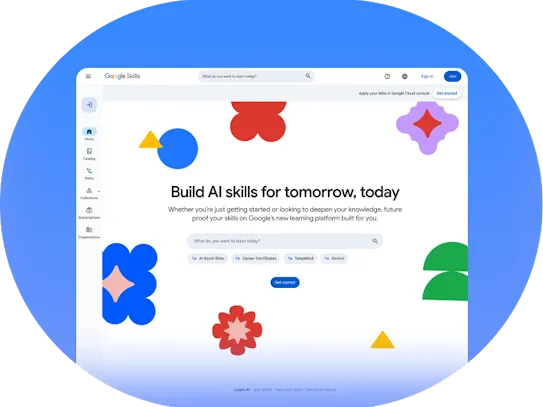
Browse our complete catalog and set learning paths on Google Skills.
